
- ✓ MAG
- 2. App
- 3. Setup
Install on your MAG box
No app needed — your MAG box reads the Netfly TV portal directly. Follow the steps below.
MAG setup
Portal-based — no app required.
- 1
Share your MAC address with us
During checkout, send the MAC address printed on the back of your MAG box. We bind your subscription to that MAC.
- 2
Open the System Settings
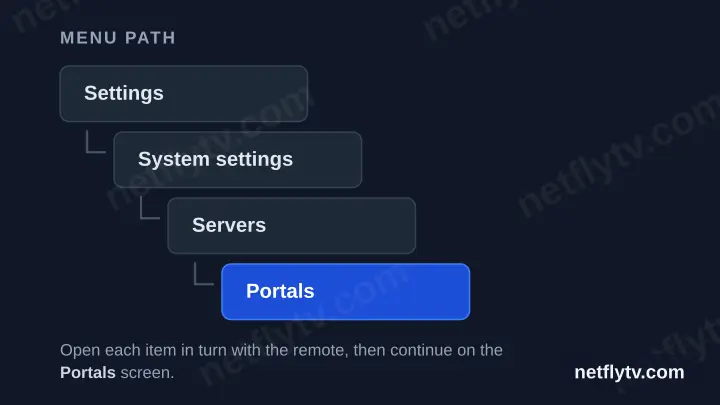
On the MAG home screen, navigate to Settings → System settings → Servers → Portals.
- 3
Set Portal 1
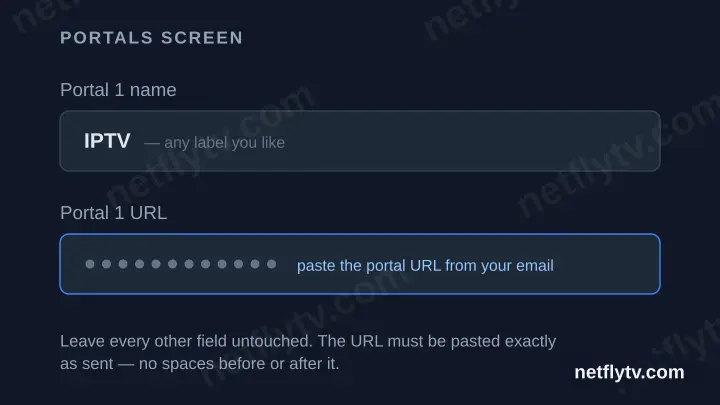
Set "Portal 1 name" to a label of your choice (e.g. our brand). Paste the Portal URL from your account on our website into "Portal 1 URL".
- 4
Save and reboot
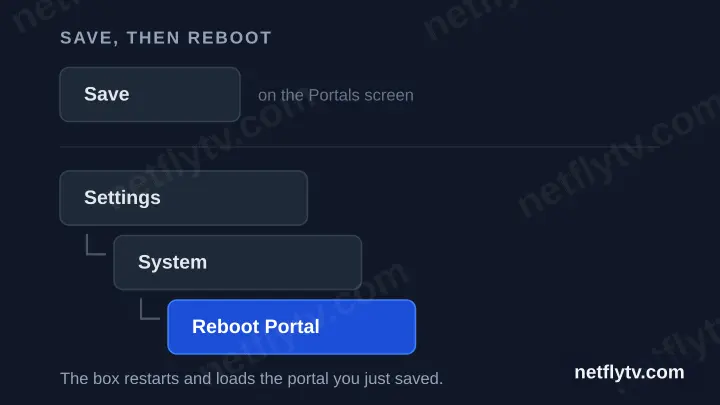
Save the settings, then reboot the portal via Settings → System → Reboot Portal.
- 5
Start watching
Your channels, movies and series load automatically when the portal restarts.
Your Netfly TV login details (username, password & server URL, M3U link or MAG portal URL) are in your account on our website as soon as your subscription is active. Can't find them? Contact support and we'll help.
Already using a player you like? You can keep it. Any IPTV app works as long as it asks for Xtream Codes (server URL, username and password) or an M3U URL — enter the same details from your account on our website.
No subscription yet?
Watch on your MAG today
You are one subscription away — connects to any of the apps above.
- 20,600+ live TV channels
- 174,000+ films and series on demand
- Works on every device you own
- Activated in under a minute
30-day money-back guarantee · No contract · Cancel any time